Manage user groups
You need the admin rights to use this feature.
User Groups allow administrators to organise multiple users into a logical group for easier management and access control. A user group can contain a set of specified users who share similar responsibilities or functions within the application. Grouping users simplifies assignment in scenarios where actions need to be applied to multiple users collectively rather than individually.
User Groups can be referenced in Workflow Designer > User Tasks to route tasks to a specific group of users. This ensures that tasks can be picked up by any eligible member within the group.
Administrators can create, manage, import, and export user groups to facilitate configuration management, backup, or migration across environments.
You cannot deactivate a User Group if it is currently associated with an Active or Scheduled Workflow. Deactivate or complete the associated workflows before deactivating the user group.
After the deactivation, you have the option to reactivate it following the on-screen instructions.
Manage the user group
To manage the user group, perform the following:
-
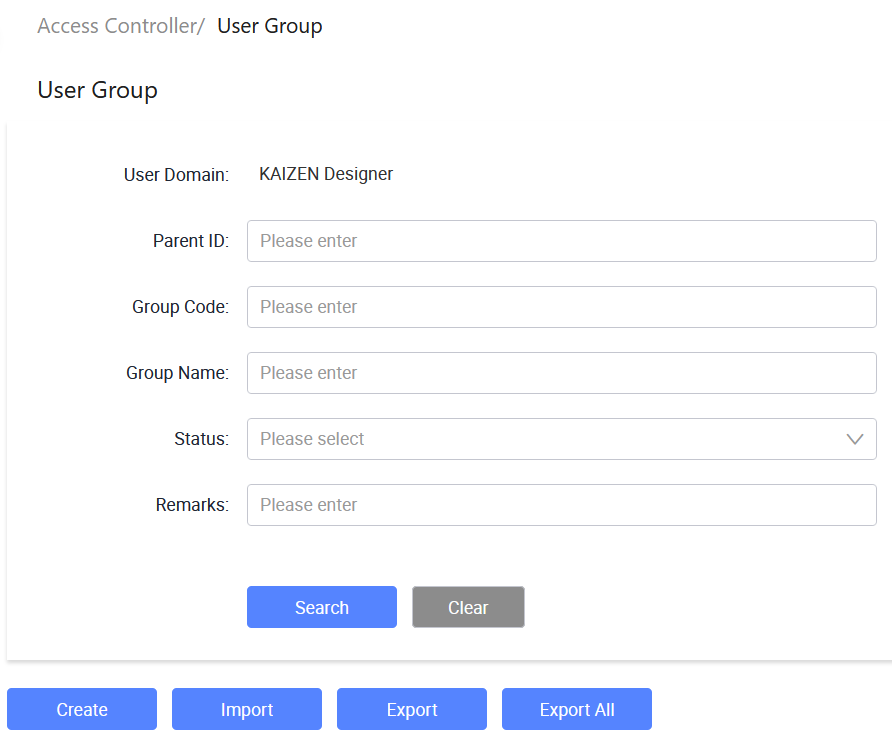
In the KAIZEN studio console, on the left panel, click Access Controller > User Group.
The Access Controller/ User Group page displays.
-
From here, you can create new user groups, import or export user groups, and so on.
Create a user group
-
In Access Controller/ User Group, click Create.
-
In the Create User Group window, provide the details:
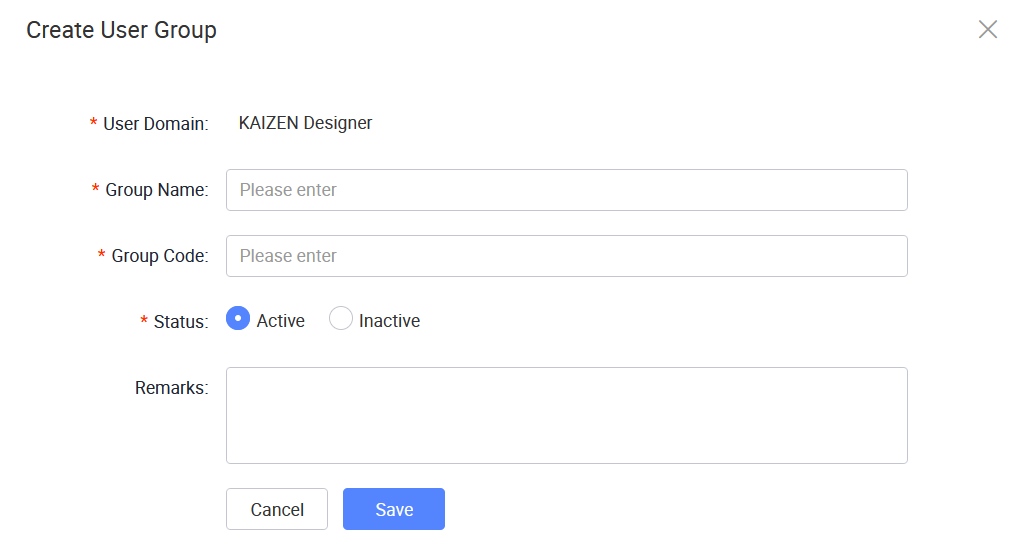
The following table describes each field from the window above:
Field Required Description User Domain Yes Displays the user domain for the user group. Group Name Yes Enter the name of the user group. Group Code Yes Enter a unique code to identify the user group. Status Yes Sets the status of the user group. Remarks No Enter optional remarks or notes for the user group. -
Click Save.
Last updated on 20 May 2026