Manage endpoints
After creating or importing endpoints, use the Assignments page to map privileges to endpoints. Only users whose roles contain the mapped privileges will be authorised to call the secured endpoints.
Endpoints represent the API resources that are secured within KAIZEN's Identity and Access Management (IAM) framework. Each endpoint defines an API URL pattern that the system uses to enforce access control at the API level.
- Endpoints are mapped to privileges, which determine whether a user is authorised to call a specific API.
- Each endpoint is associated with a specific HTTP method (GET, POST, PUT, DELETE), a URL pattern, and a match type that controls how the URL is evaluated.
- By securing endpoints, administrators can prevent unauthorised users from performing backend operations such as creating, reading, updating, or deleting data, even if the frontend UI elements are hidden.
Administrators can create and manage endpoints as required, associate them with the appropriate privileges through assignments, and export or import endpoint configurations for backup or migration purposes.
Manage the endpoints
To manage the endpoints, perform the following:
-
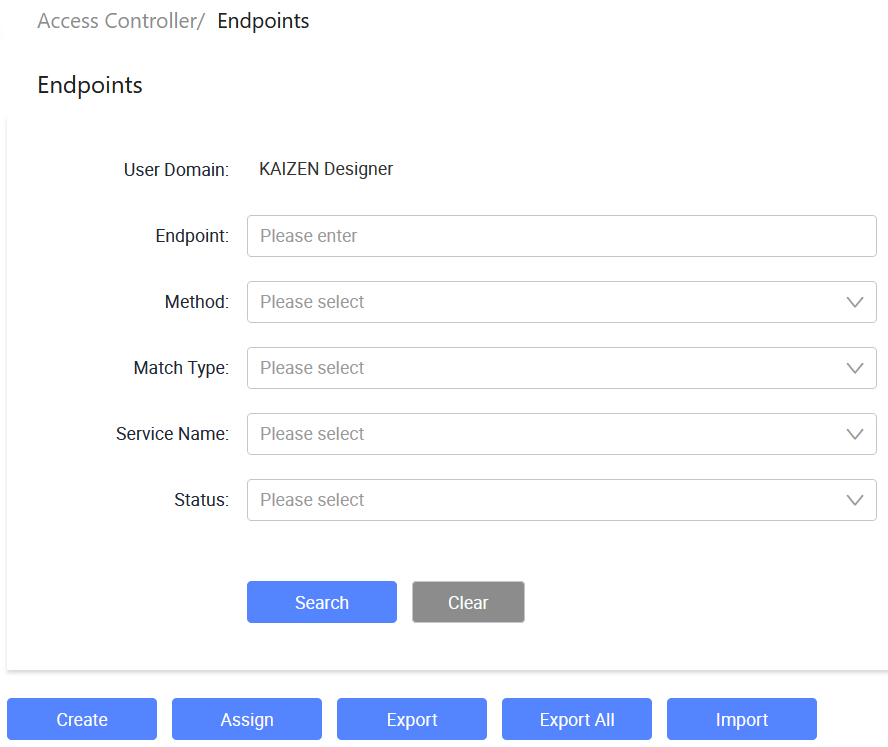
In the KAIZEN studio console, on the left panel, click Access Controller > Endpoints.
The Access Controller/ Endpoints page displays.
-
From here, you can create new endpoints, search for existing endpoints, import or export endpoints, and so on.
Create an endpoint
-
In Access Controller/ Endpoints, click Create.
-
In the Create Endpoint window, provide the details:
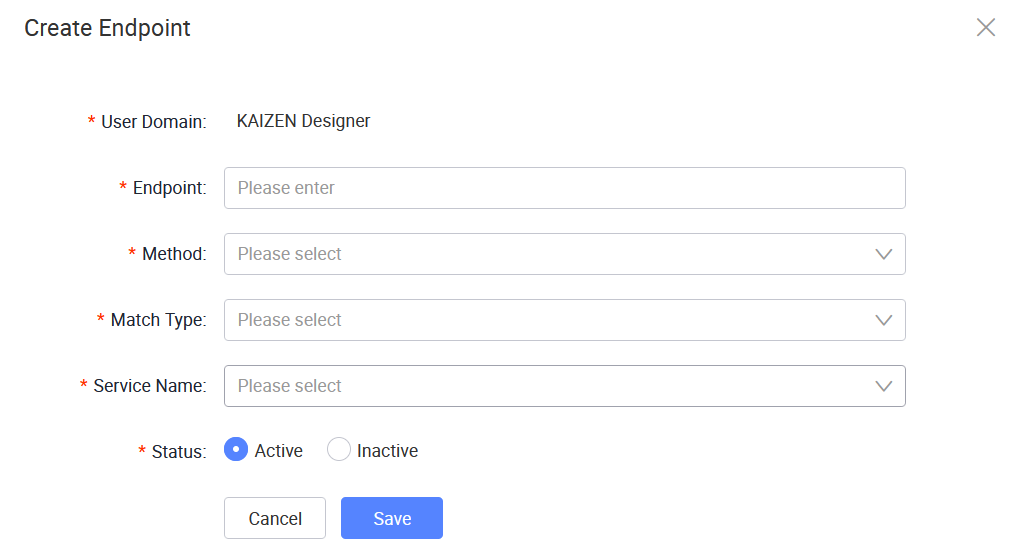
The following table describes each field from the window above:
Field Required Description User Domain Yes Displays the user domain for the endpoint. Endpoint Yes Enter the endpoint URL path. Method Yes Select the HTTP method for the endpoint. Match Type Yes Select the matching type used to evaluate the endpoint path. Service Name Yes Select the service that the endpoint belongs to. Status Yes Sets the status of the endpoint. -
Click Save.
Last updated on 20 May 2026