Trigger an API call
Datasources are designed and configured in the Service Designer. To make a datasource available to the frontend, you need to trigger an API call from within the App Designer.
Trigger the API call
Every API call is triggered by a specific event. There are two primary ways to initiate these calls:
On page load
You can configure a datasource to run automatically when the page loads. This is useful for populating components, such as tables and lists with initial data.
To enable this, perform the following:
-
Select the datasource in the App Designer.
-
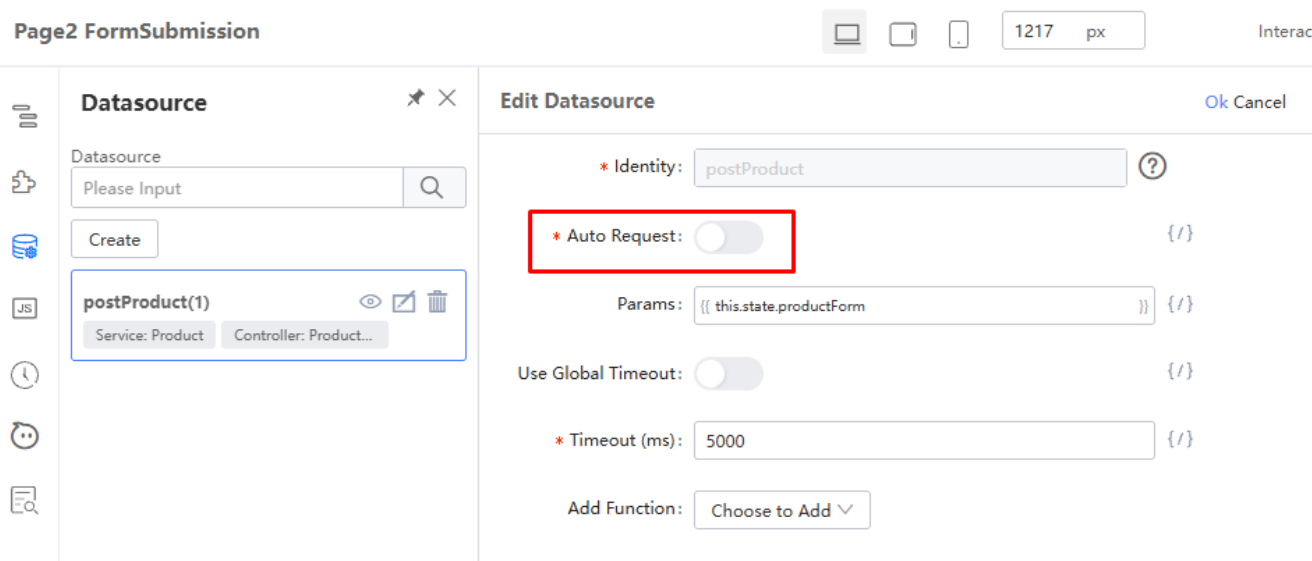
In the configuration panel, locate the Auto Request toggle. This toggle is off by default.
-
Enable the toggle. The API will then be called automatically every time the page loads.
On user action
For an action such as submitting a form or clicking a button, you can bind the API call to a component event (e.g., an onClick event). In the JavaScript function for that event, call the datasource's load() method to trigger the API request.
Last updated on 20 May 2026