View the API documentation
Each service in KAIZEN has built-in API documentation that lists all available endpoints, their request parameters, and response formats. This documentation is generated automatically and is always up to date with the service's current implementation.
Open the API documentation
To view the API documentation for a service:
-
In App Designer, find the service you want to inspect.
-
Click API Document
 on the right side of the service row.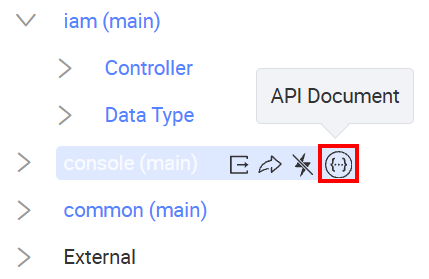
The API documentation for that service opens in a new browser tab.
API documentation overview
The API documentation page displays the service name, version, and all available API groups and endpoints.
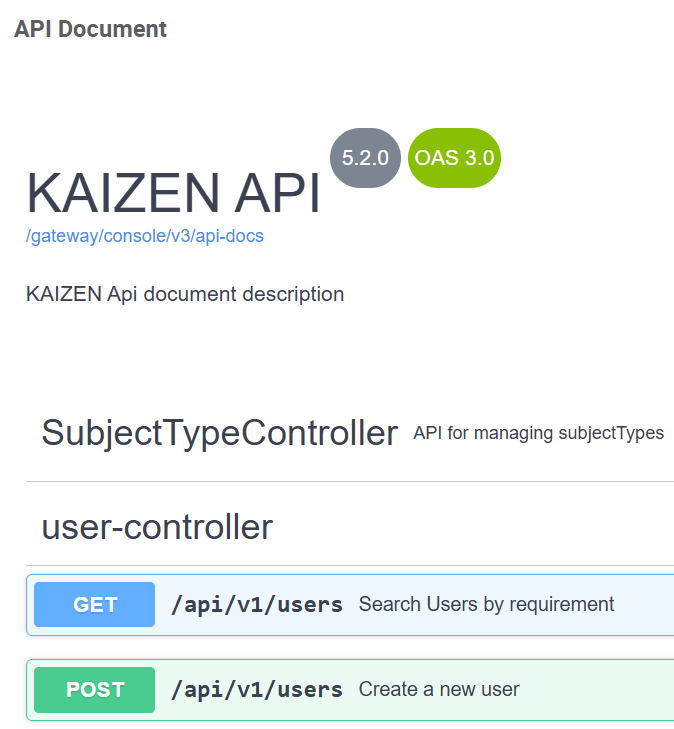
The page shows the following information:
- Service name and version: displayed at the top of the page, along with the OpenAPI Specification (OAS) version and the API base path.
- Controller groups: endpoints are grouped by controller. Each group can be expanded to view the individual endpoints it contains.
- Endpoints: each endpoint shows the HTTP method (e.g.,
GET,POST), the path, and a short description of the operation.
Last updated on 20 May 2026