Edit token
The Edit Token window allows you to update the Personal Access Token used to authenticate with your connected Git provider.
Update the token
-
At the project toolbar, click the Git icon
 and select Edit Token.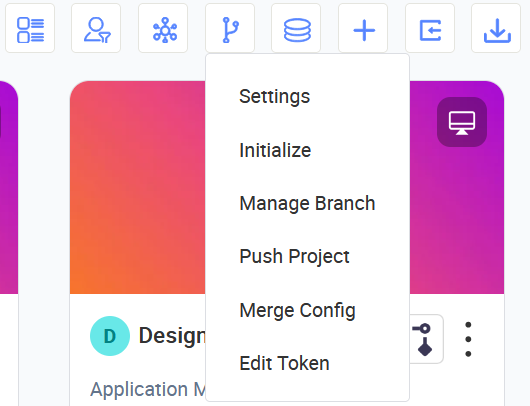
-
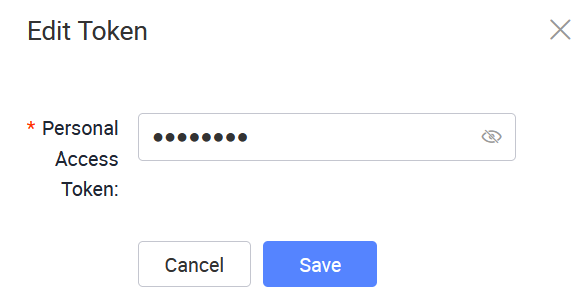
In the Edit Token window, enter the new Personal Access Token from your Git provider.
 note
noteIf your token has expired or you need to create a new one, log into your Git provider (e.g., GitLab) and generate a new Personal Access Token. Make sure you grant the required permissions for repository access, then return to KAIZEN and update the token.
-
Click Save to apply the changes.
Last updated on 20 May 2026