Workflow process fundamentals
A workflow process is a series of steps in KAIZEN that lets you integrate workflow features into your application to automate business processes. At its core is the KAIZEN workflow engine, which runs workflow instances defined in the Workflow Designer.
Define a workflow
You define a workflow by drawing diagrams in the Workflow Designer. These diagrams are known as definitions. An example workflow definition is shown below:
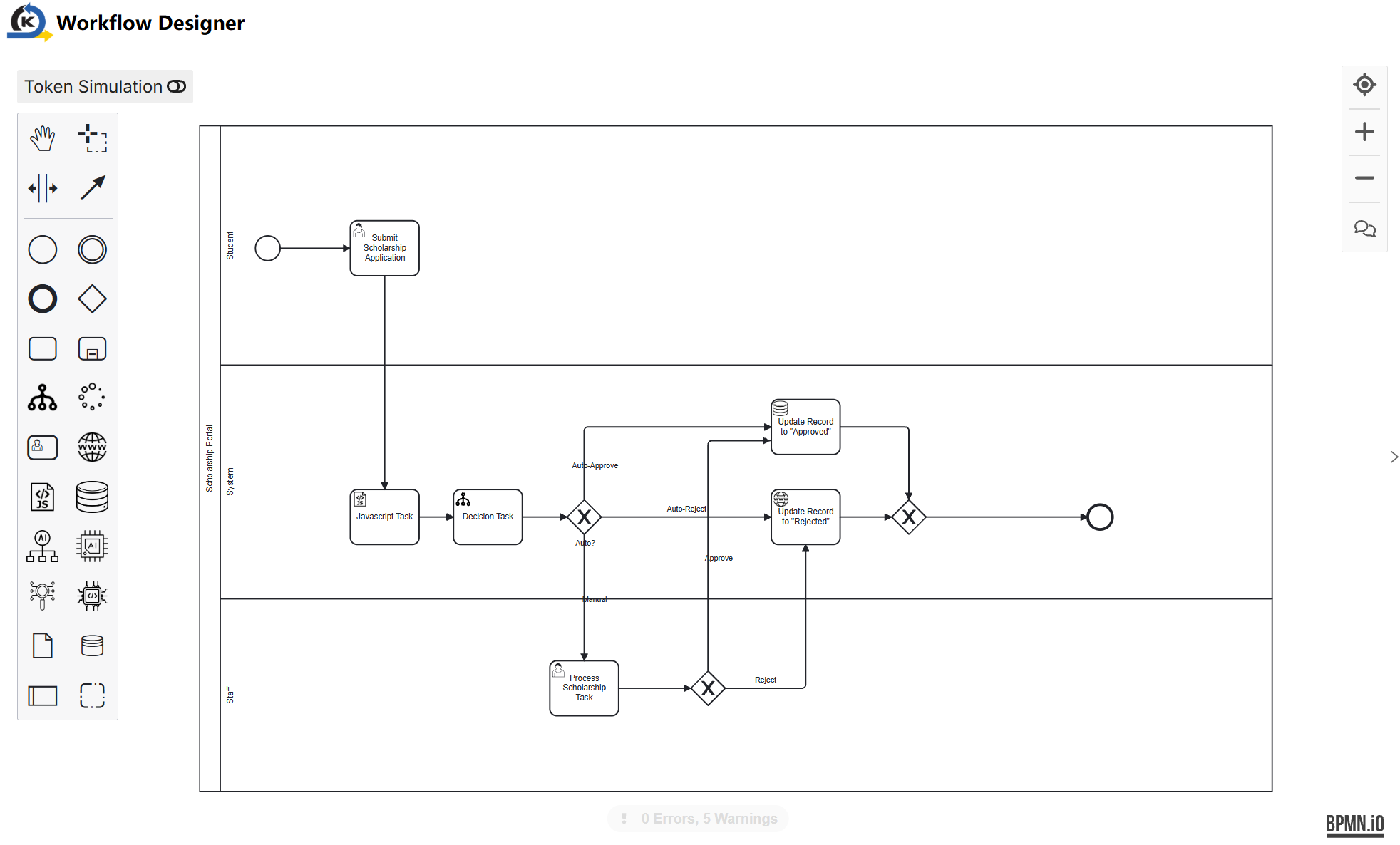
Definitions can be saved as .bpmn files, which are then loaded and deployed into the Workflow Admin to register them with the KAIZEN workflow engine.
Once registered, you can start a new instance of a definition from the backend or frontend of the application by calling an API. You can also perform various operations on an instance, such as resuming an instance that has a pending task.
Get started with workflow design
Workflow Designer lets you draw diagrams to define task sequences and complex business logic with ease, and convert them into a format that the KAIZEN workflow engine can use. It can be accessed through this button on the application card in studio console:

If you have multiple projects active in the studio console, be sure to select the correct one, as each project has its own set of workflows.
Last updated on 20 May 2026