Module 4. Service Designer
In this module, you will explore how KAIZEN bridges the gap between visual API configuration and professional code development. You will inspect how microservices, API controllers, and reusable data types are visually mapped, how they automatically compile into standard structured code layers, and how developers can extend them locally using Git.
4.1 Reusable Visual API Modelling
Goal
Understand how microservices, controllers, endpoint configurations, and parameterised value objects are structured within KAIZEN's visual workspace.
Concept: Microservice & Controller Hierarchy
In the Service Designer, backend architectures are structured systematically:
- The Microservice: The first level of service configuration, defining the root package, dependencies, and target runtime settings of a running service.
- The Controller: Residing directly under the microservice, a microservice can manage one or more controllers. Controllers organise related REST API endpoints (endpoints, routes, and paths).
- Parameterisation & Value Objects (VOs): To prevent duplicate field definitions across multiple APIs, developers parameterise common data contracts into reusable structures called Value Objects (VOs) or Data Types. If multiple API controllers require the same student profile payload, they simply point to a single globally defined VO.
Inspection Tour
-
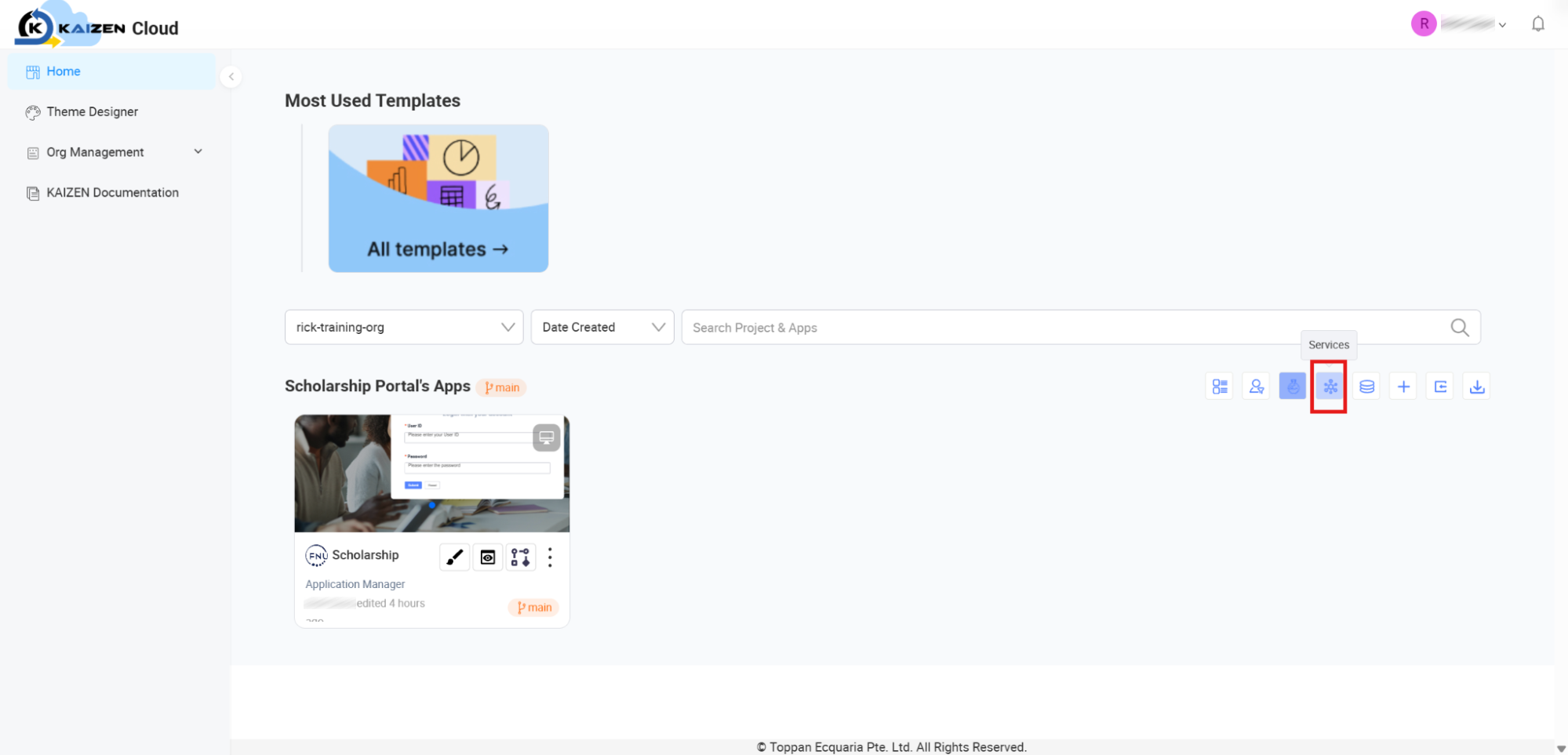
Access the Service Designer: From your KAIZEN Cloud console, locate your Scholarship application card, hover over it, and click the Services icon.
-
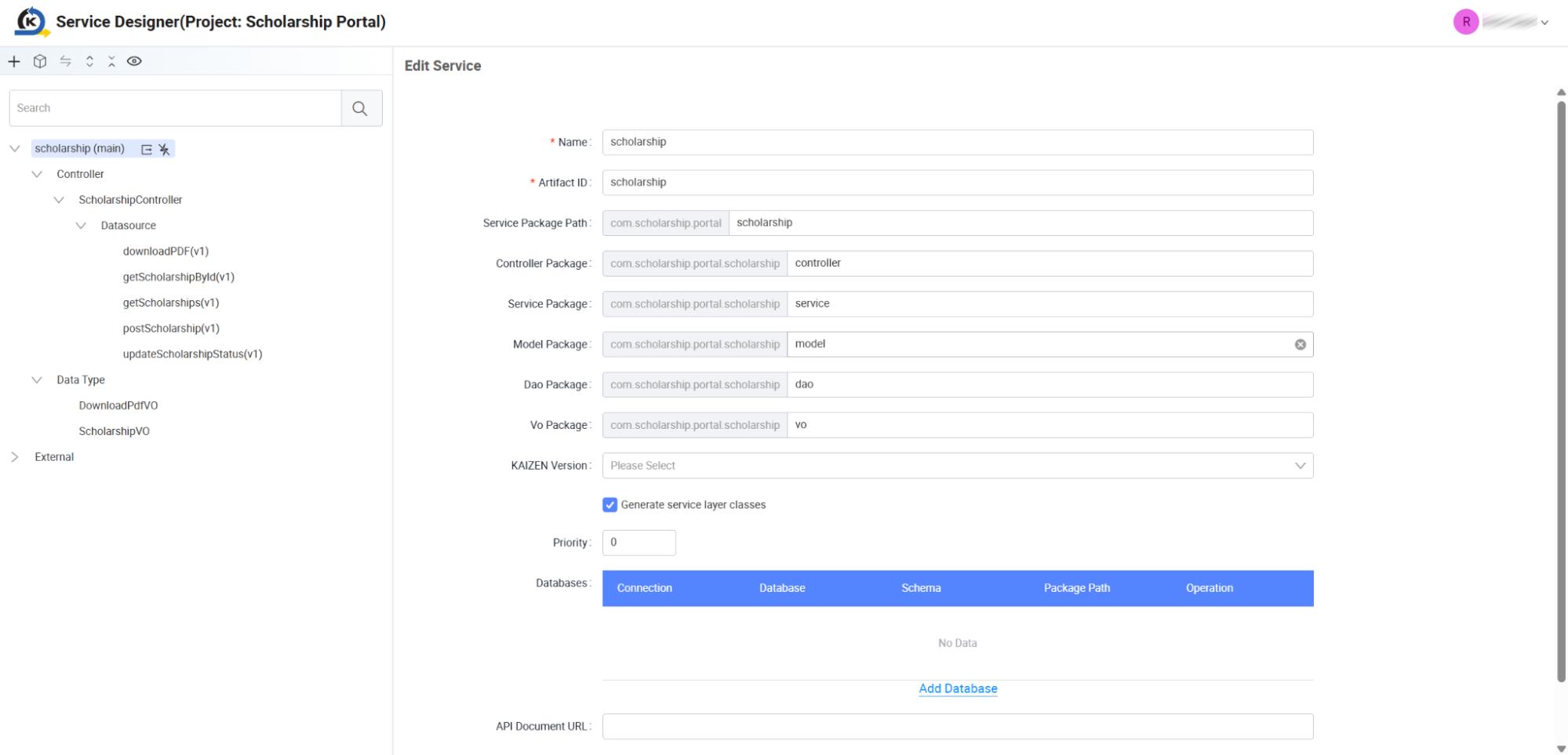
Inspect the Microservice Configuration: Once the workspace loads, locate the root node on the left navigation tree labelled scholarship (main). Selecting this node reveals the global microservice packaging definitions. Notice how KAIZEN has configured clean target package directories:
- Controller Package: com.scholarship.portal.scholarship.controller
- Service Package: com.scholarship.portal.scholarship.service
- Model/Dao Package: com.scholarship.portal.scholarship.model / .dao
- Vo Package: com.scholarship.portal.scholarship.vo
-
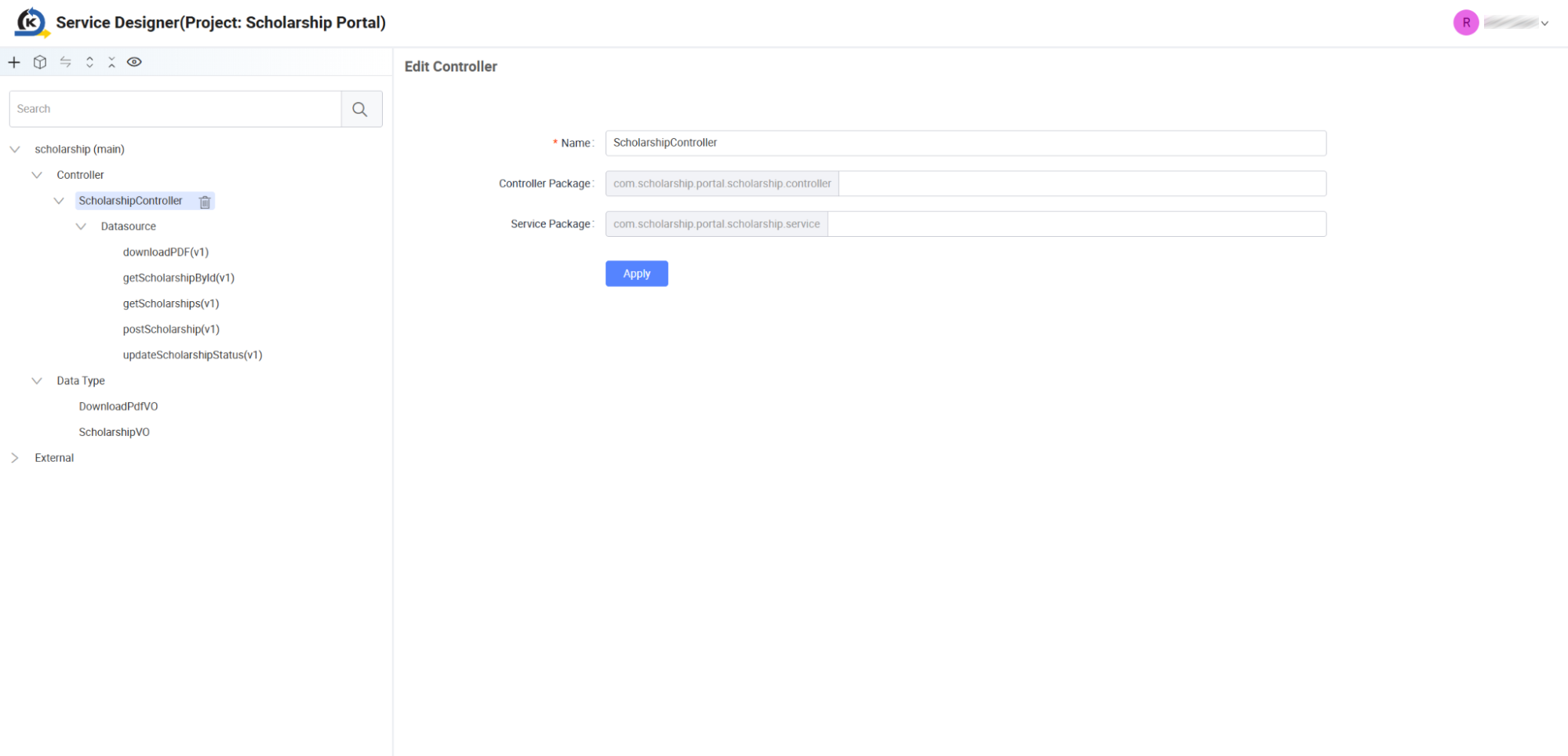
Inspect the Controller: Expand the Controller directory on the left tree menu, and select ScholarshipController. Here, you see that this controller consolidates and exposes multiple REST routes.
-
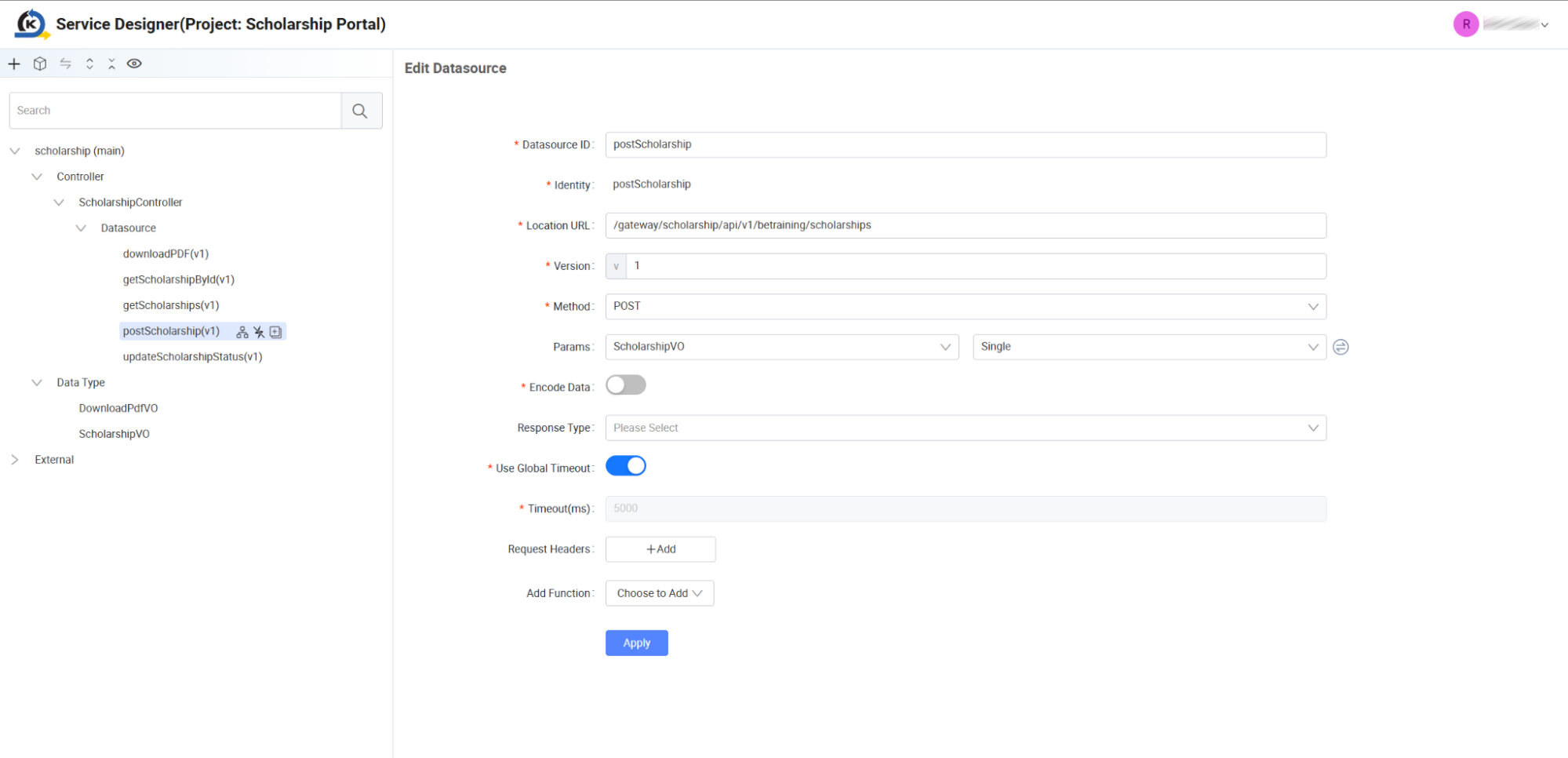
Examine the Submission Endpoint: Under ScholarshipController, click the postScholarship(v1) datasource endpoint. Review the visual parameters configured for this submission API:
-
Location URL:
/gateway/scholarship/api/v1/betraining/scholarships -
Method: Set as a POST request.
-
Params: Notice that instead of displaying separate independent request fields, the parameters are assigned directly to:
ScholarshipVO(Single)
-
-
Explore Reusable Data Types: Because this scholarship profile dataset is utilised across multiple API routes (such as submission, updates, and draft saves), it is parameterised inside KAIZEN's unified Data Type registry.
-
Click the
ScholarshipVOnode situated under the left-side Data Type folder.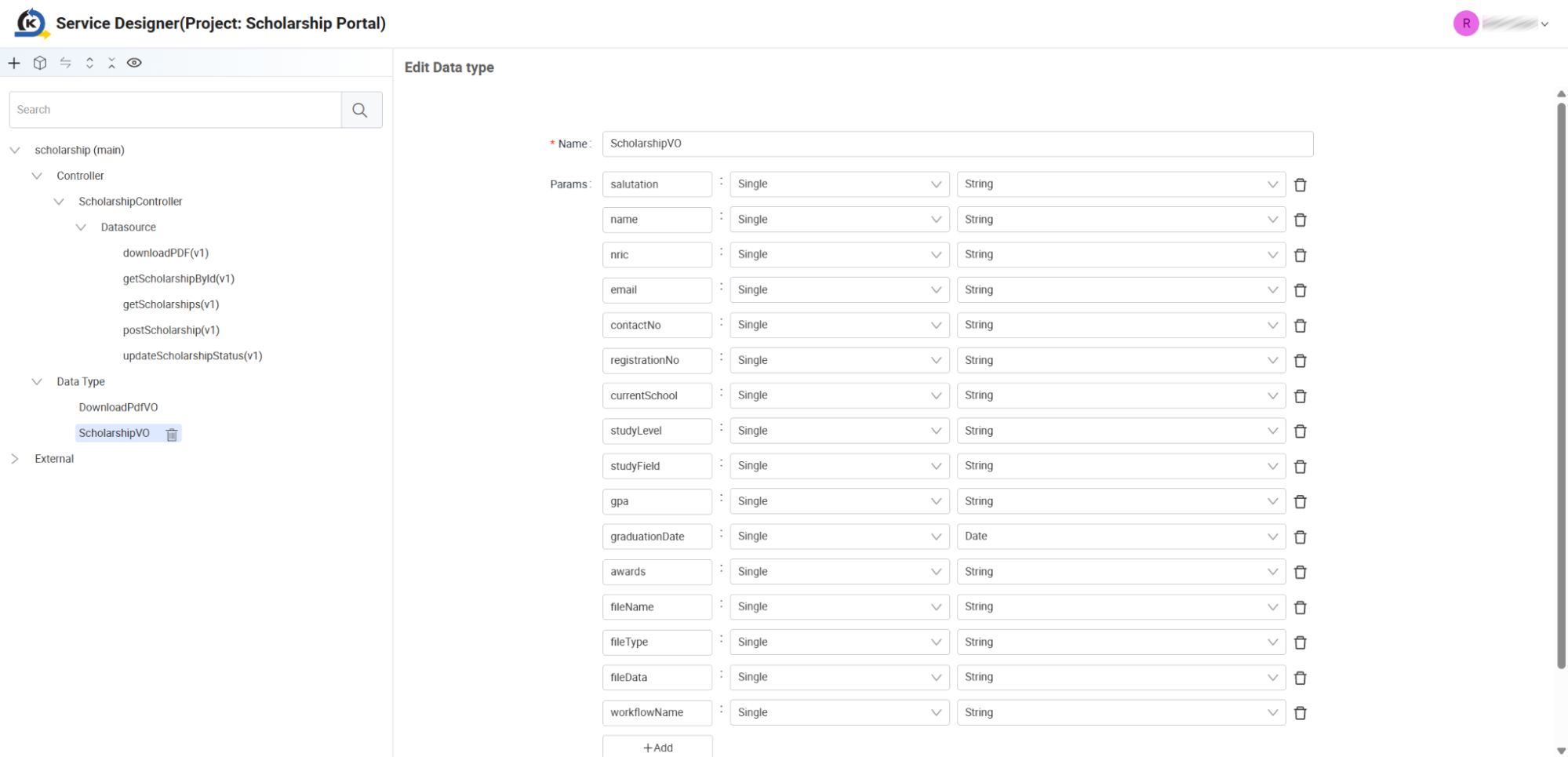
-
In the centre grid panel, inspect the field mapping dictionary defining the structured payload. Notice standard student data variables such as salutation, name, NRIC, email, gpa, and file upload schemas (fileName, fileType, fileData) all stored inside a single reusable definition block.
4.2 Visual-to-Code Generation & Spring Boot Structure
Goal
Examine how visual designs automatically compile into standard, readable Java/Spring Boot project structures and learn how custom dependencies and property overrides are managed safely.
Concept: Automated Code Orchestration & Git Integration
KAIZEN compiles your visual schemas, controllers, and value objects directly into standard Spring Boot backend project files.
To ensure developers can easily add custom libraries or environment profiles without their changes getting overwritten during a visual design regeneration cycle, KAIZEN splits configurations cleanly:
-
The Platform Defaults (Read-Only): KAIZEN maintains the default Spring configurations and build dependencies inside application.properties and pom-kaizen.xml. These are automatically updated and overwritten on visual updates.
-
The Developer Customisations (Preserved): Developers write custom database configurations, profiles, and Maven dependencies inside the
application-customize.propertiesandpom-customize.xmlfiles. KAIZEN strictly ignores and preserves these files, guaranteeing your custom local configurations are safe.
Git Versioning Integration: When KAIZEN is configured to connect to Git, a Generate Code & Push to Git option is made available. Clicking this trigger compiles your visual designs and pushes them directly into your remote code repository, ensuring Git remains the central source of truth for development.
Inspection Tour (Downloading & Opening Code)
-
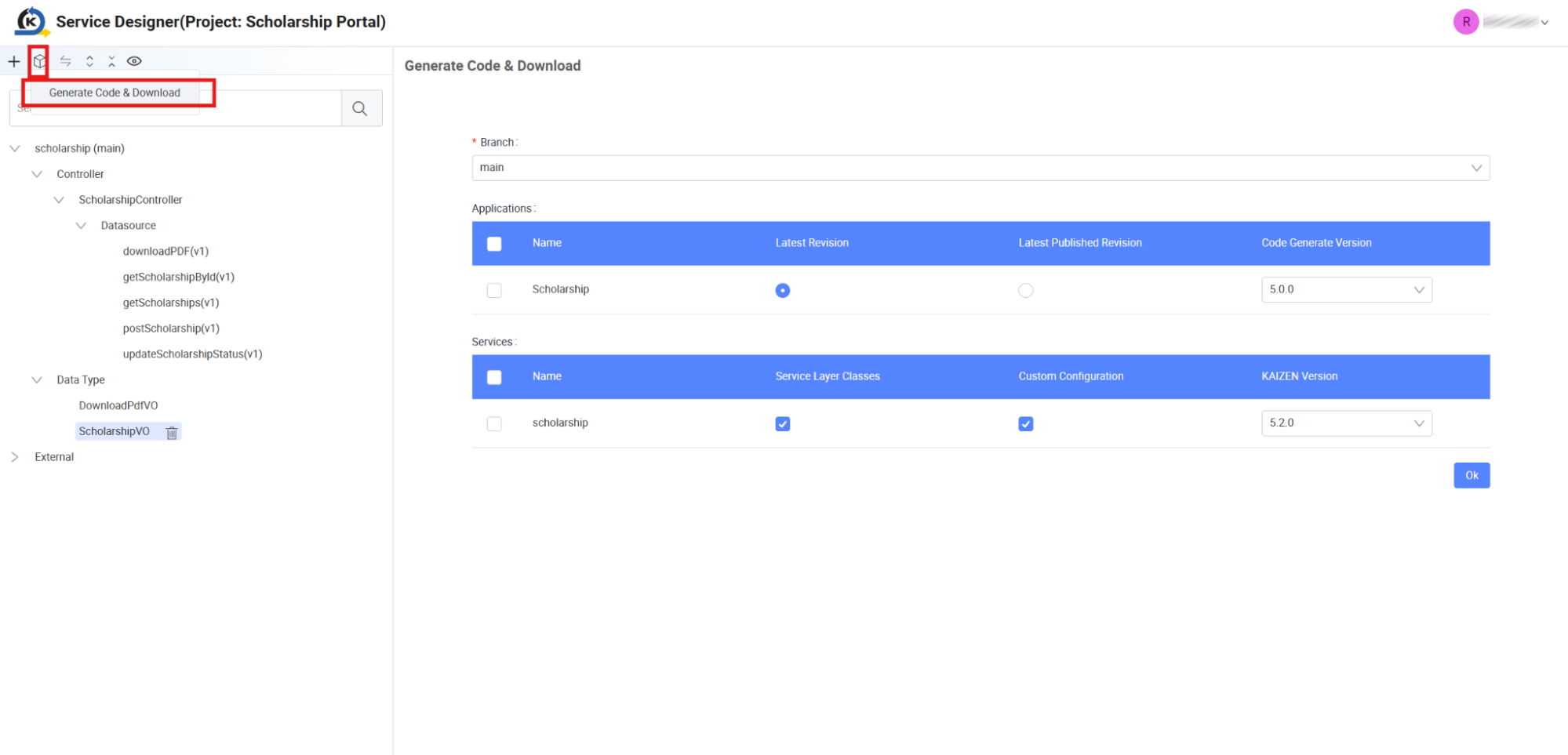
Access Code Generation Tool: From the top-left utility menu inside the Service Designer, click the Code Generation icon (the down-arrow box symbol) to expand the options, and click Generate Code & Download.
-
Select your active development Branch (e.g.,
main). -
Check the checkboxes under the Services grid to compile your service layer classes and click the OK button. This packages and downloads your backend project inside a standard
ZIPfile.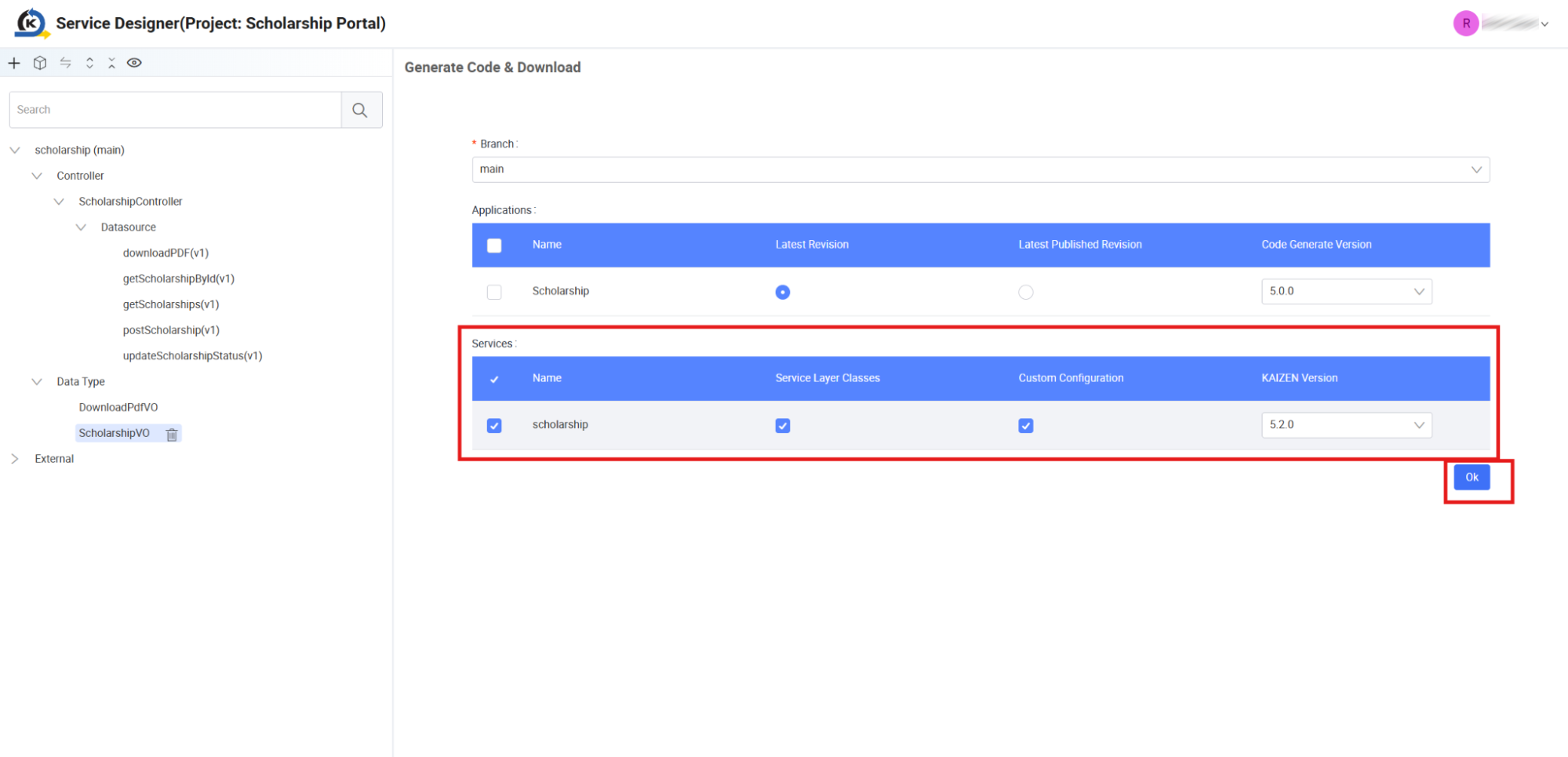
-
Unzip the downloaded file and open the root directory inside your preferred IDE (such as Visual Studio Code or IntelliJ IDEA).
Codebase Architecture Inspection
Explore the standard MVC directory tree loaded in your IDE:
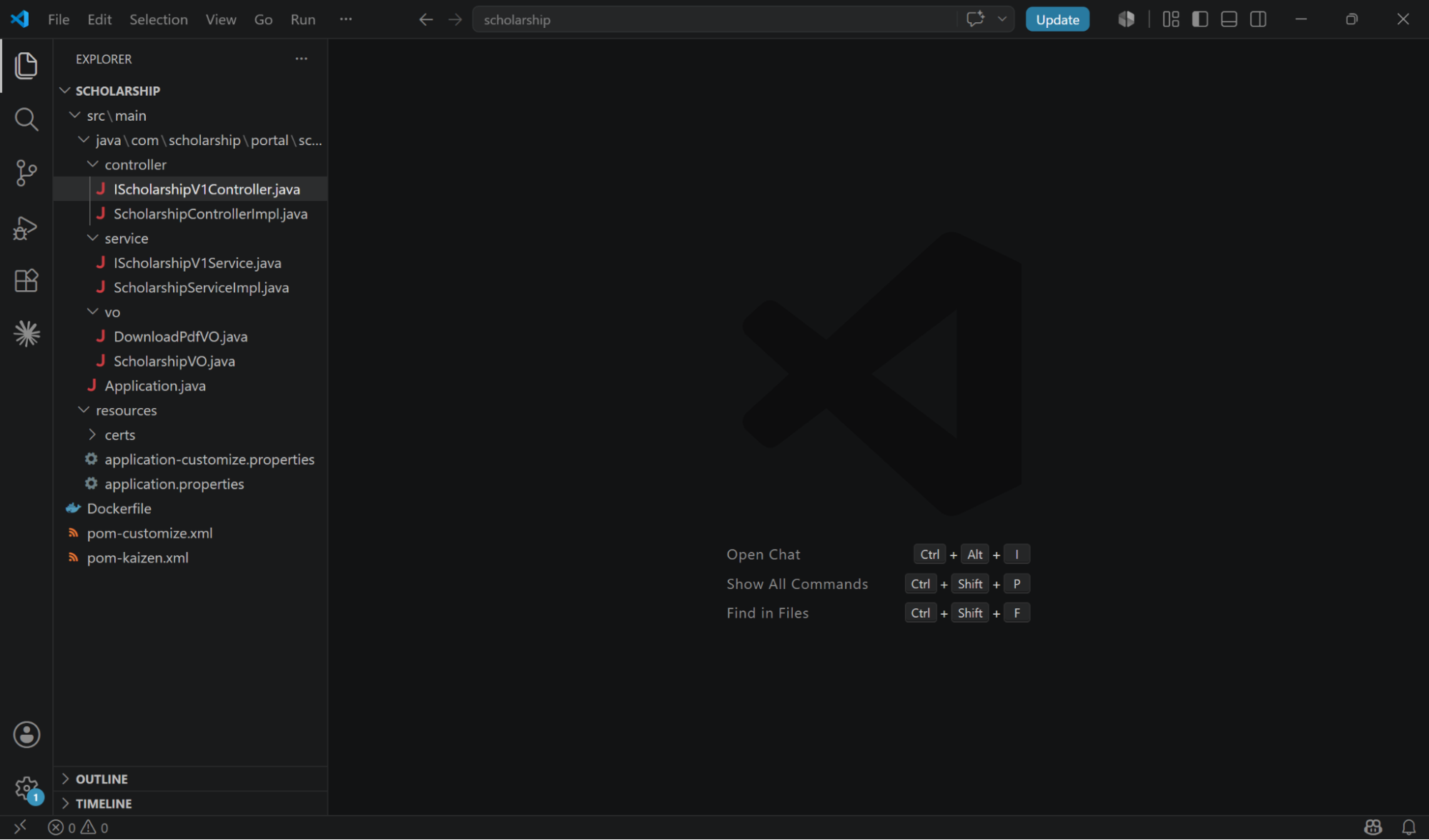
A. The Main File Tree & Config Files
Look at the root explorer pane. Notice the Spring Boot standard workspace layouts alongside the core configuration files:
-
pom-kaizen.xml/pom-customize.xml: Defines system vs user-managed build dependencies. -
application.properties/application-customize.properties: Declares environment properties.
B. The Controller Interface
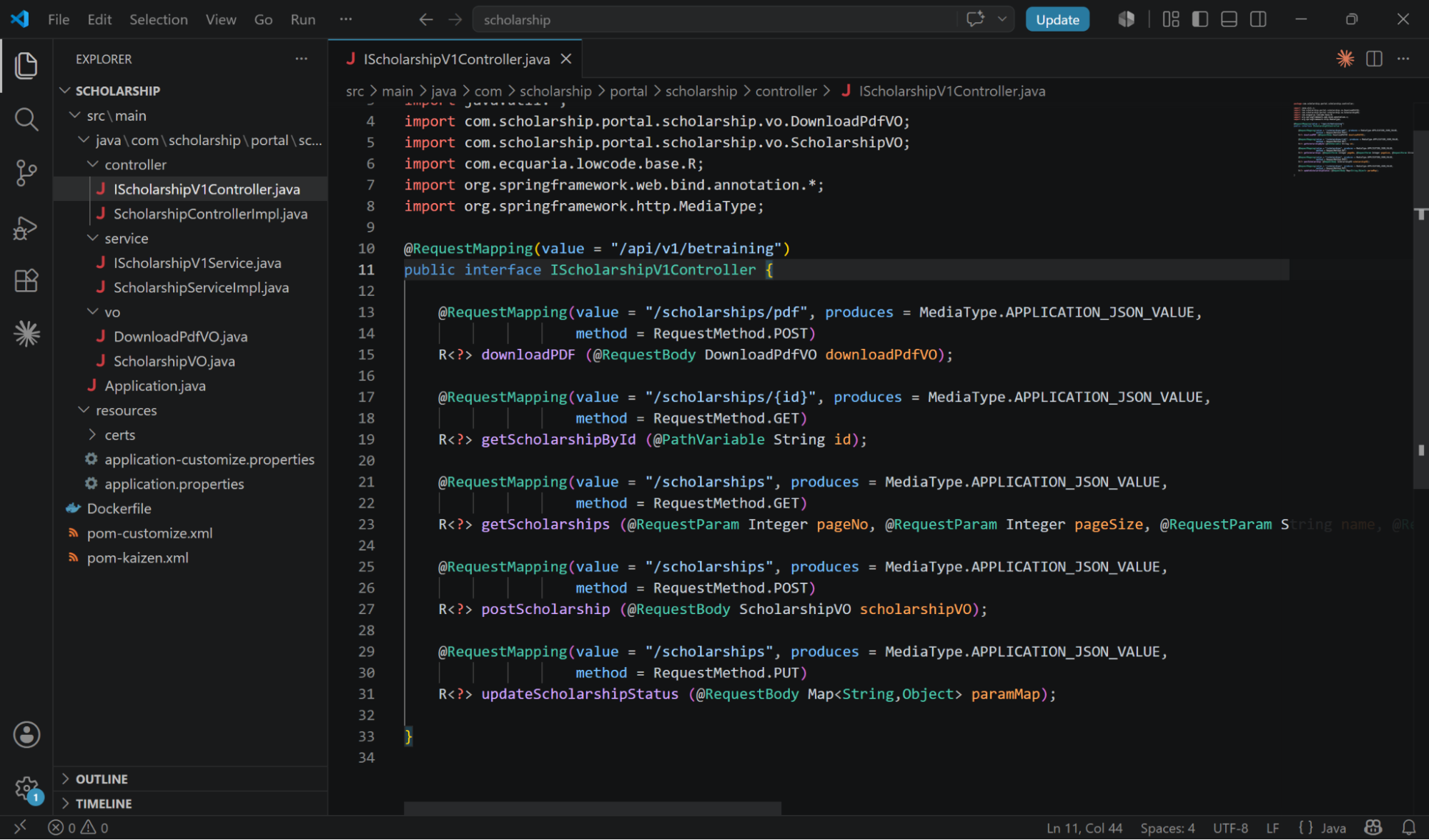
Navigate to src/main/java/com/scholarship/portal/scholarship/controller/ and open IScholarshipV1Controller.java.
Notice how KAIZEN has mapped out all standard REST routing annotations according to your visual definitions:
C. The Service Interface
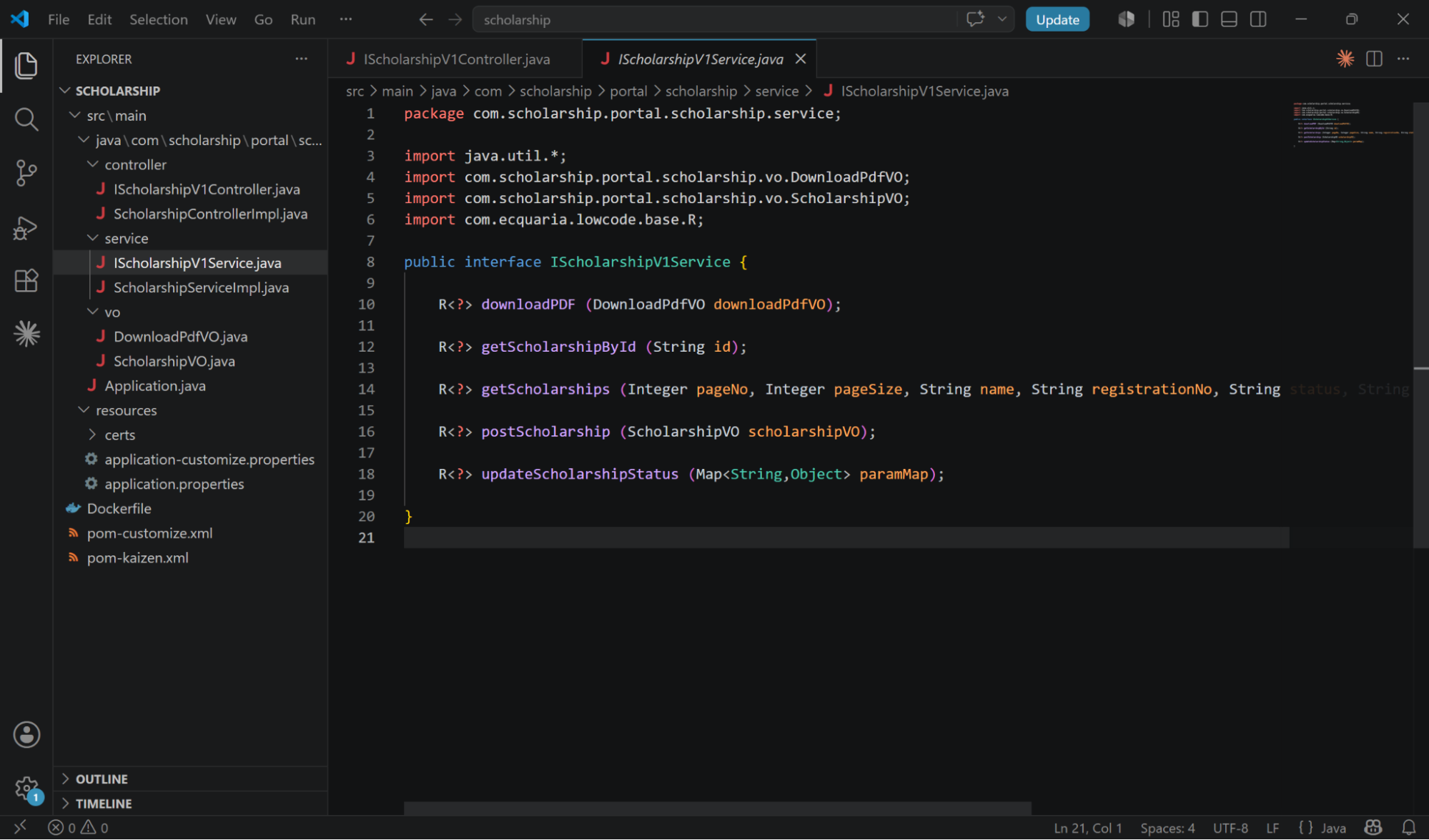
Navigate to src/main/java/com/scholarship/portal/scholarship/service/ and open IScholarshipV1Service.java.
Observe how the service interface defines the clean, typed transaction boundaries matching the visual datasource signatures:
D. The Scholarship Value Object (image_f1a5d4.png)
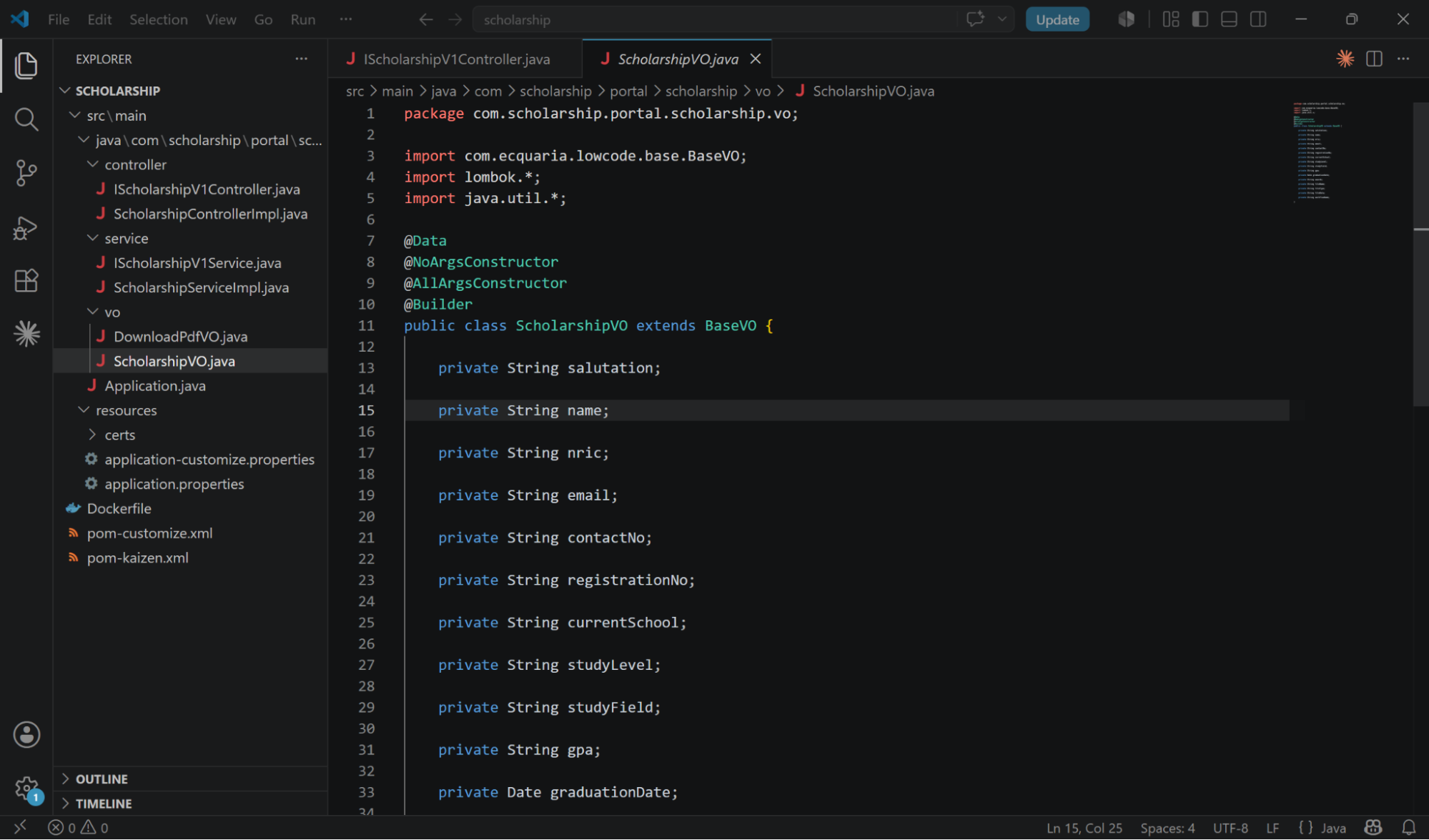
Navigate to src/main/java/com/scholarship/portal/scholarship/vo/ and open ScholarshipVO.java.
Notice how the visual data fields configured in Section 4.1 are automatically translated into a standard Java serialisation bean:
4.3 Pro-Code Extensibility: Implementing Custom Logic
Goal
Learn how backend developers implement custom business calculations, write records to database tables, and programmatically launch background workflows using the generated templates.
Concept: Controller & Service Implementation Separation
To implement your custom business rules, a developer creates two implementation classes within their IDE:
-
The Controller Implementation Class: Implements the generated controller interface (IScholarshipV1Controller) to intercept REST requests, handle login contexts, and delegate logic execution to the service layer.
-
The Service Implementation Class: Implements the generated service interface (IScholarshipV1Service) to handle complex calculations, persist data via DAOs, and communicate with the workflow orchestration engine.
Let's inspect how the backend developer implemented the custom code logic for the primary scholarship intake form submission.
Understanding the Code Structure
Step 1. The Controller Implementation
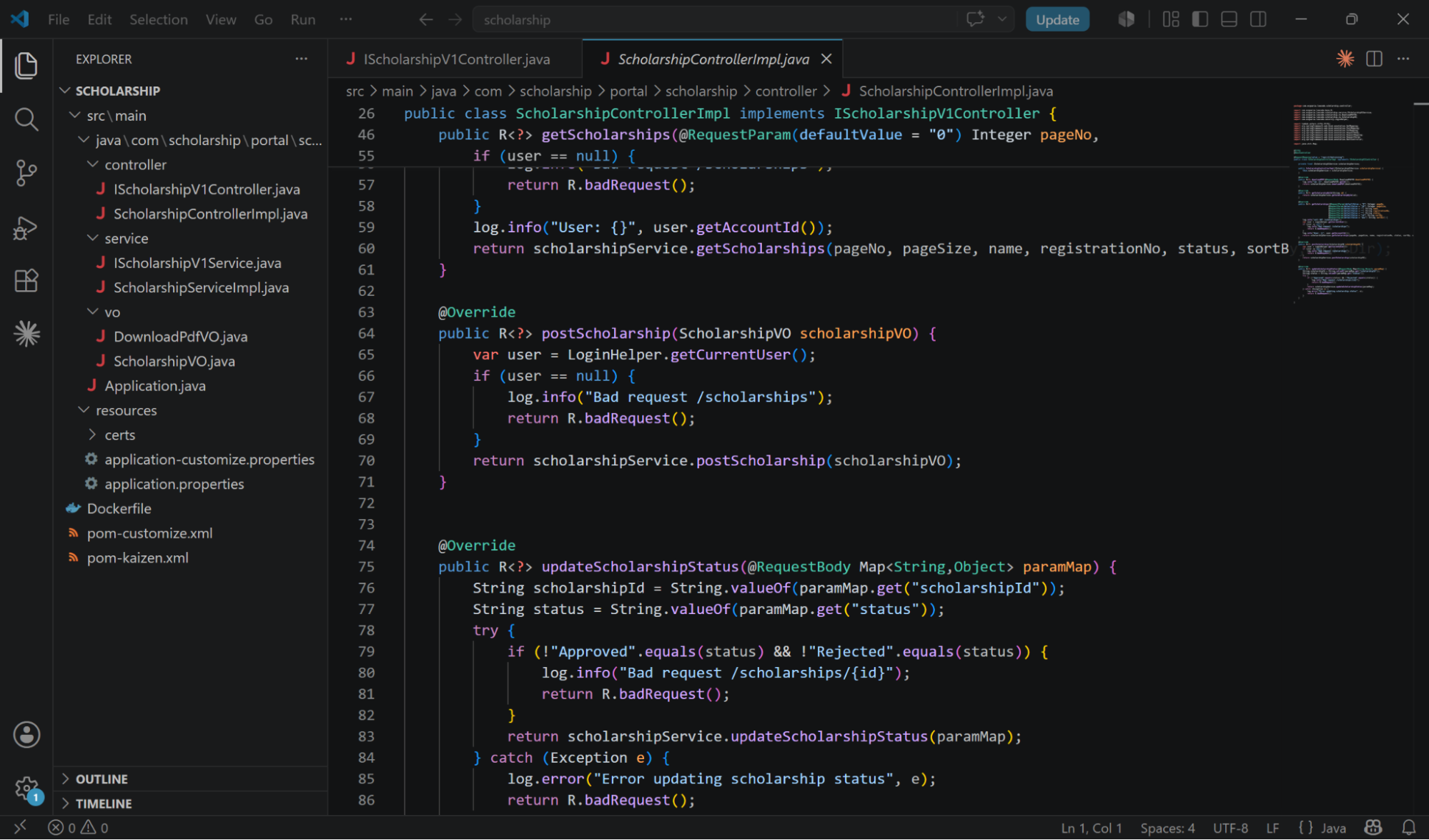
In the directory src/main/java/com/scholarship/portal/scholarship/controller/, a class named ScholarshipControllerImpl.java is created.
It implements the generated IScholarshipV1Controller interface, and uses standard Spring dependency injection to instantiate the service interface (IScholarshipV1Service):
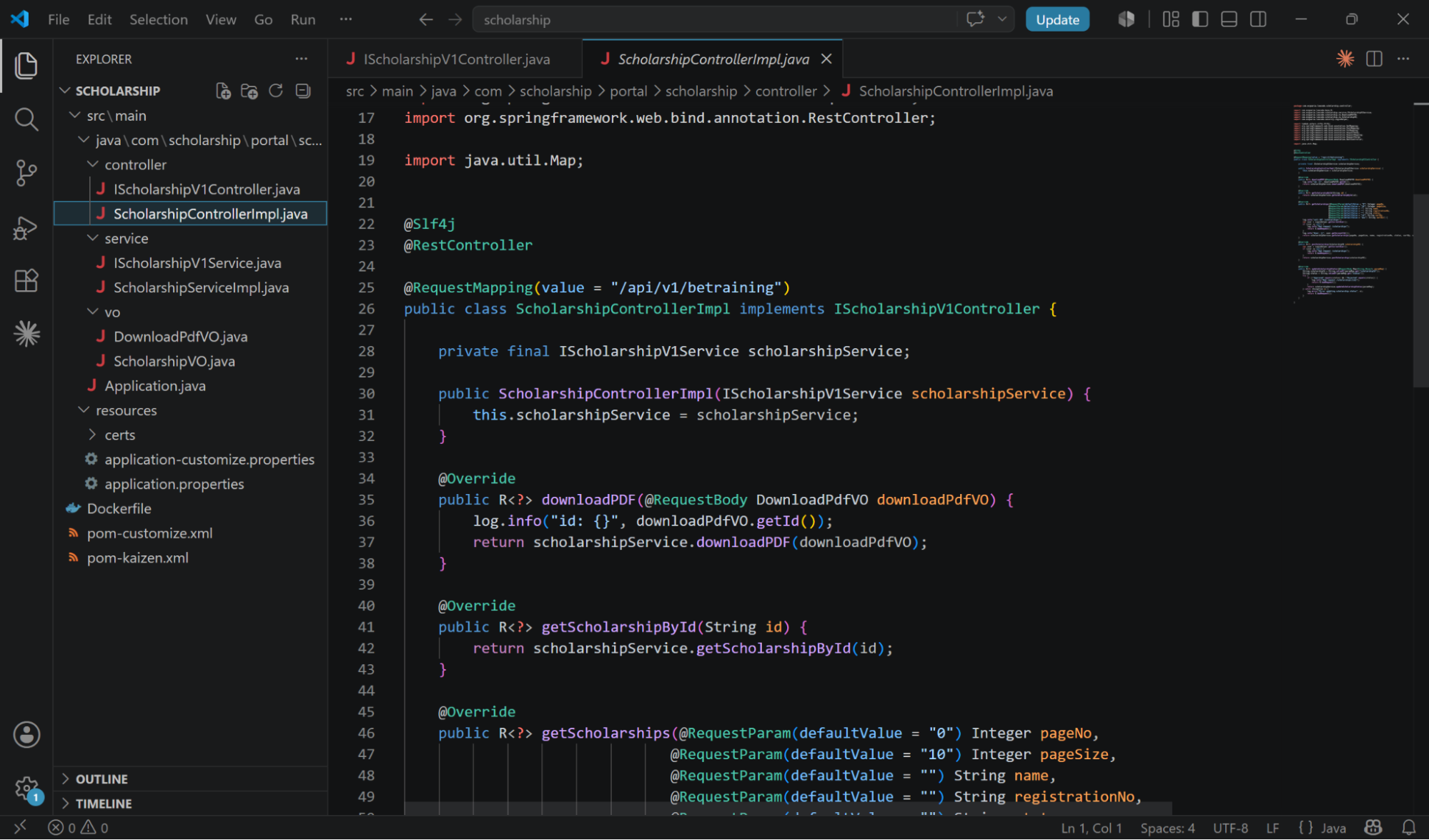
Looking closely at the postScholarship REST endpoint override, you can see how the controller captures the user's active session, performs basic authentication validation, and forwards the payload cleanly to the service layer:
Step 2. The Service Implementation
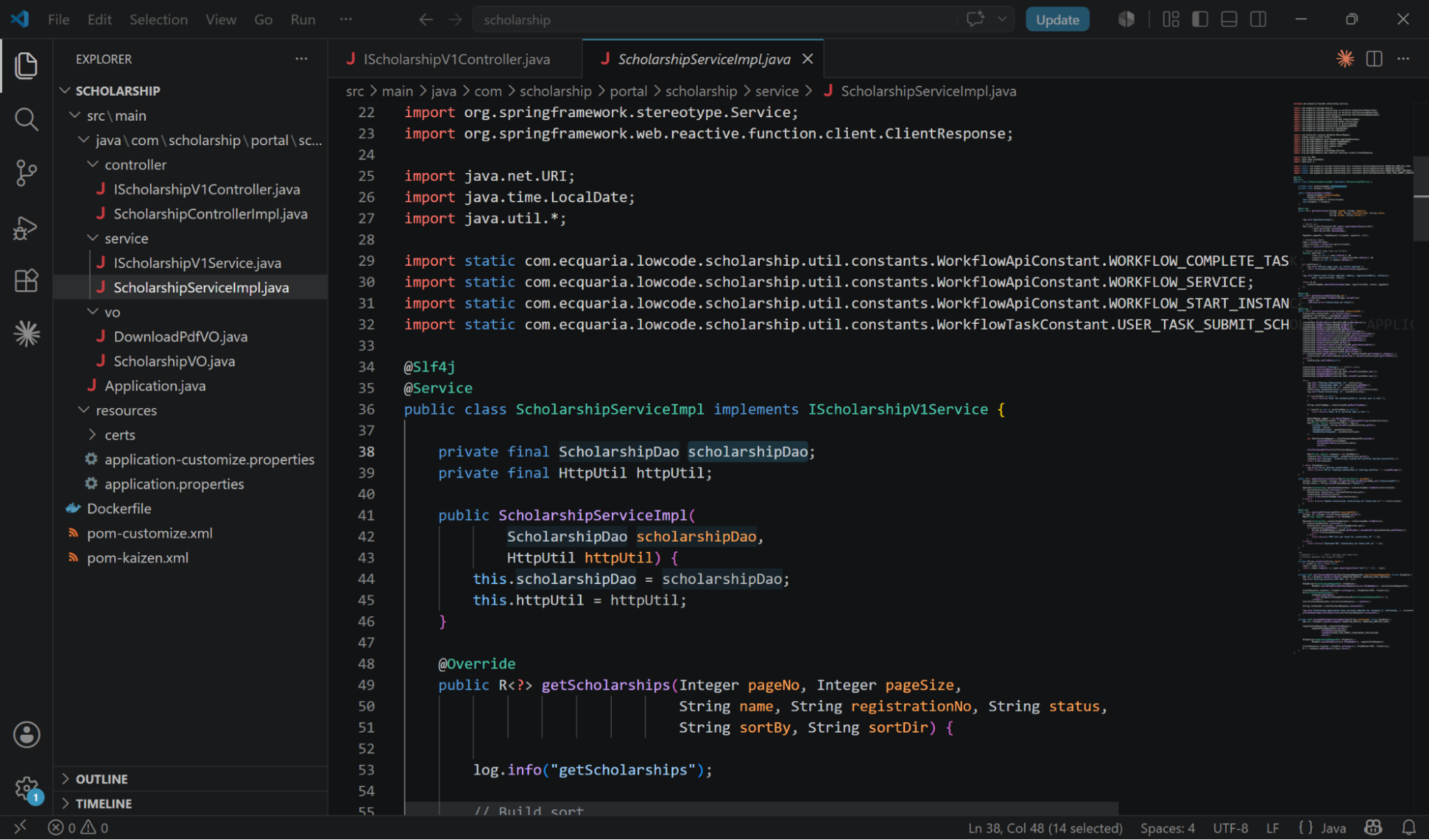
In the service directory src/main/java/com/scholarship/portal/scholarship/service/, the corresponding ScholarshipServiceImpl.java class implements IScholarshipV1Service.
This class instantiates our data access layers (such as the database access object, ScholarshipDao) to prepare for business execution:
Step 3. The postScholarship Business Logic
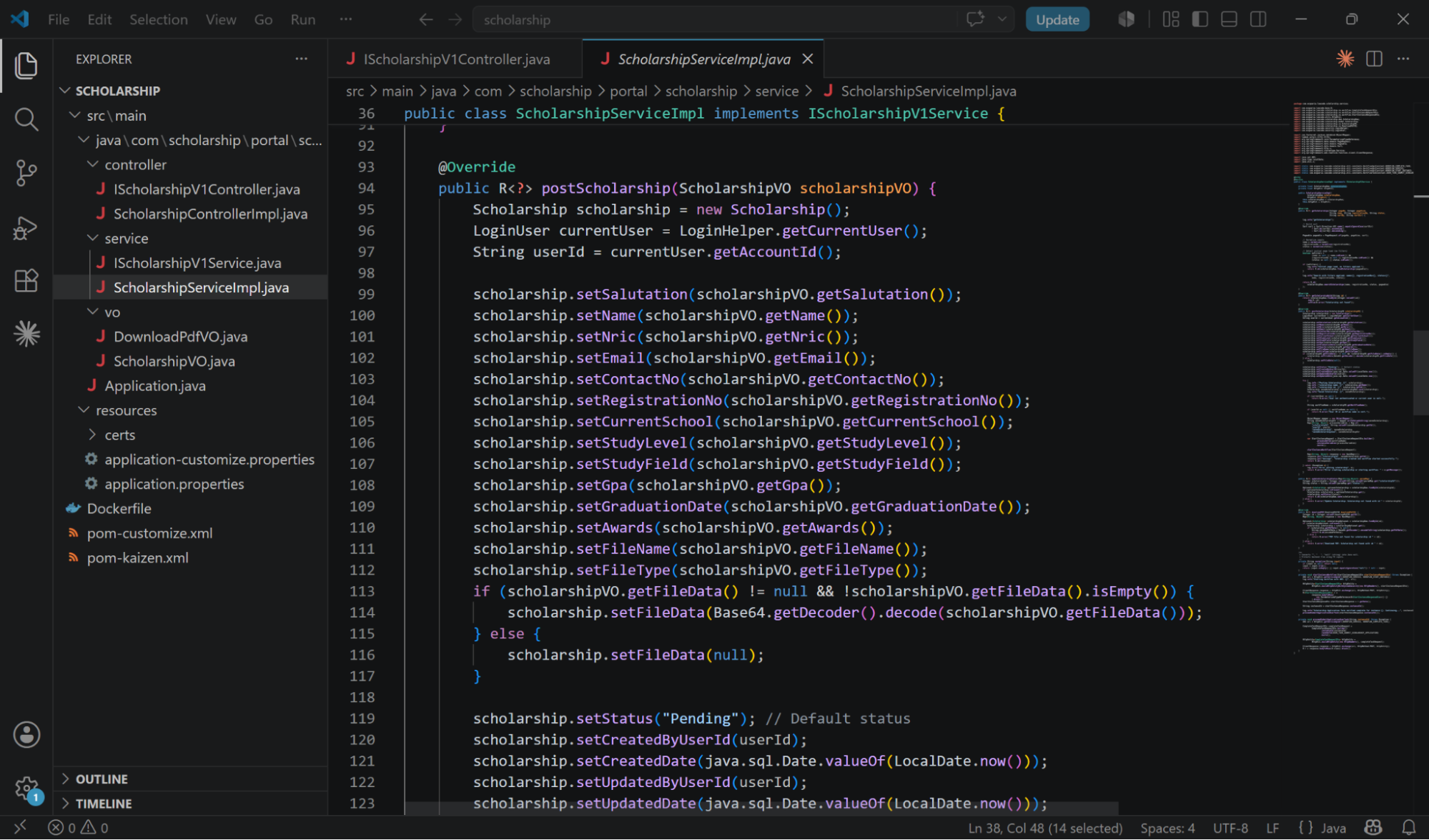
Inside ScholarshipServiceImpl.java, the developer implements the core postScholarship calculation, database persistence, and workflow triggering rules. This logic is responsible for mapping parameters, setting audit details, committing to SQL, and passing process control variables to KAIZEN's BPMN engine:
Git as the Single Source of Truth
Instead of using complex synchronisation layers, the platform establishes your remote Git repository as the absolute, single source of truth for the application codebase.
Once the developer has completed implementing the custom controller and service classes inside their local IDE, they push the code back to the remote Git repository to conclude their development cycle.
Last updated on 21 Sep 2026