Create a new table
Use the Database Designer to create tables or delete any unwanted data.
Create a table
To create a table in the Database Designer, perform the following:
-
Start with an empty table
A table is a container for a specific type of data, like the information for products or customers.
-
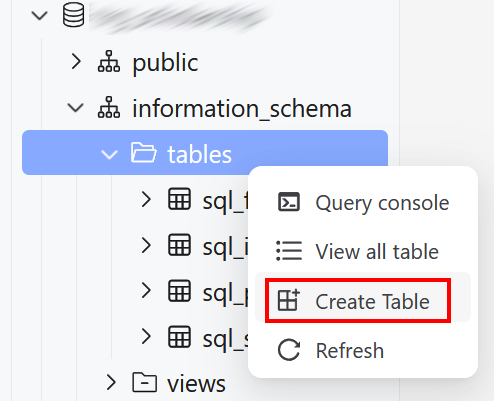
After connecting to your database, on the left side panel, right-click the Tables section within the schema and select Create Table.
-
On the right configuration panel under the Basic tab, enter a descriptive name for the table (e.g.,
product).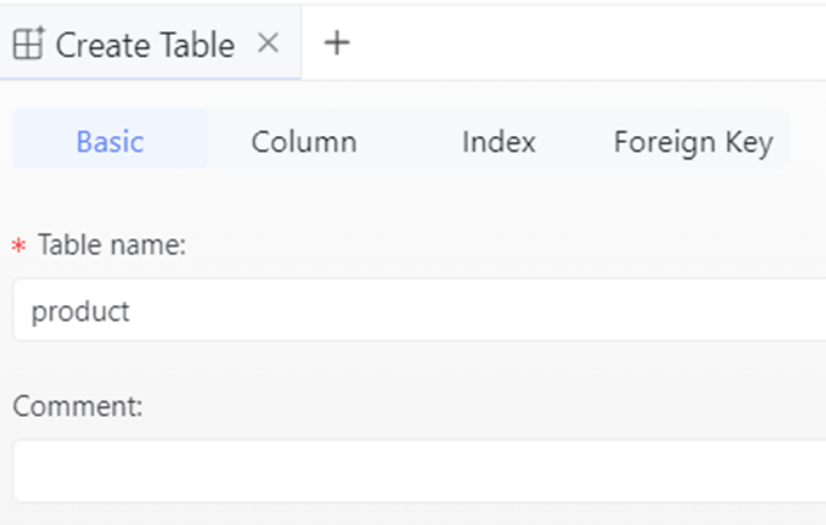
-
-
Define columns and constraints
Columns are the individual fields that make up a table. This is where definition of the structure of the data may be created.
-
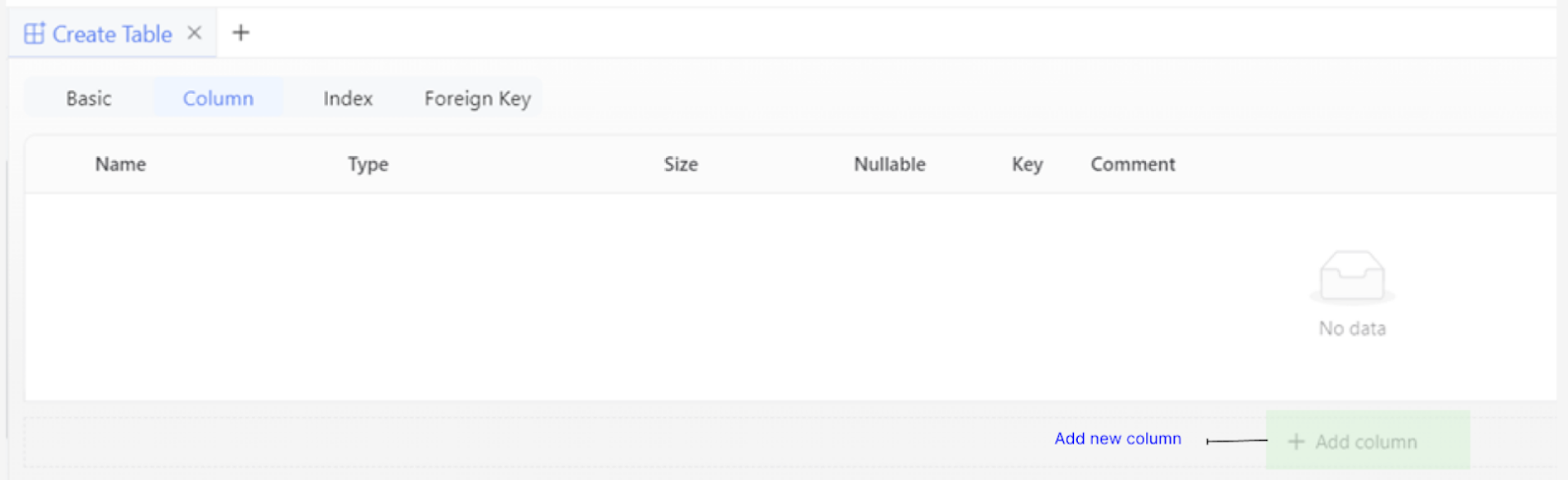
Select the Column tab on the right side panel.
-
Click the Add column button for each field to create.
-
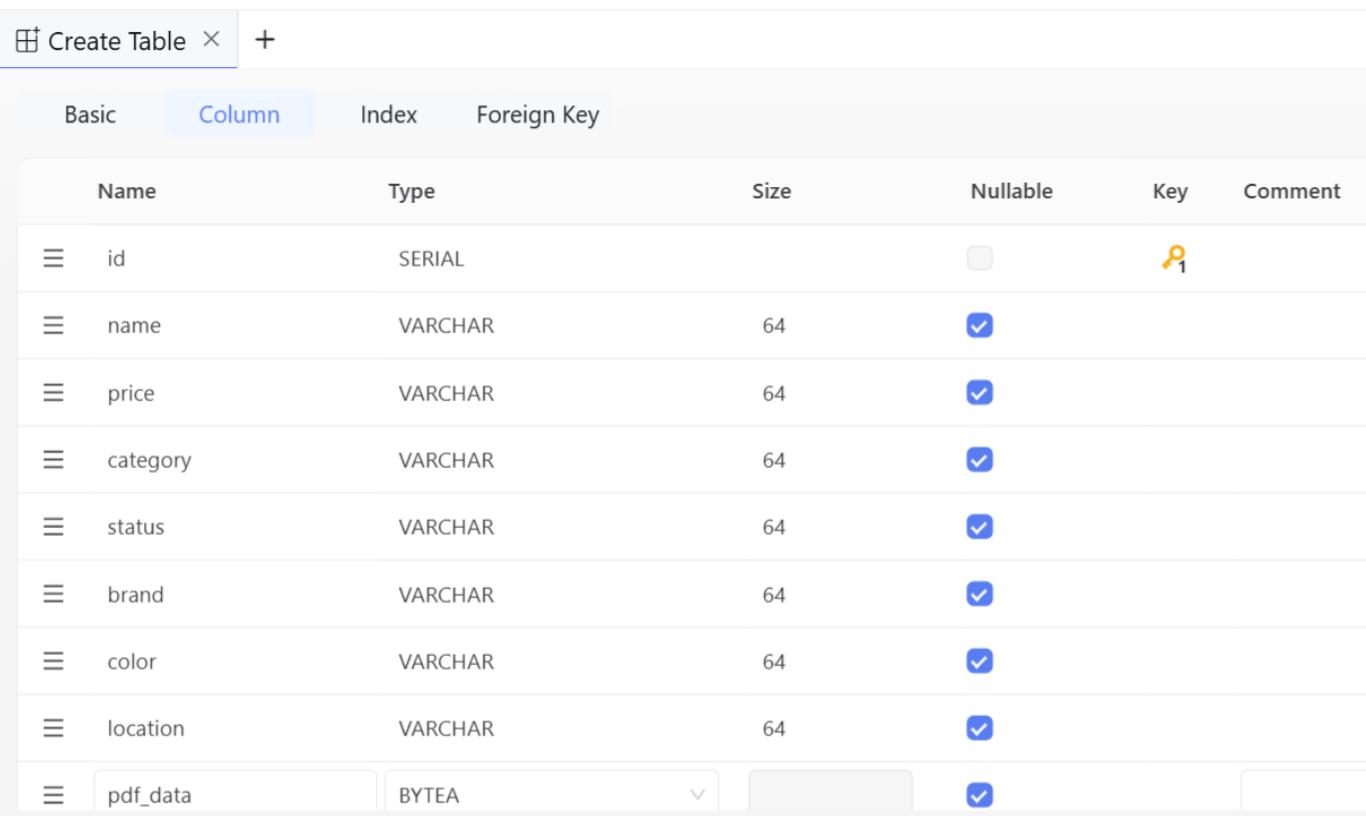
For each column, configure these properties:
-
Column Name: The name of the field (e.g.,
id,name,price,category). -
Data Type: Select the appropriate type from the dropdown, such as SERIAL for an auto-incrementing integer, VARCHAR for text, or BYTEA for binary data like a PDF.
-
Size: Specify the size for variable-length data types like VARCHAR (e.g.,
64). -
Constraints: Apply rules to the column by checking the relevant boxes. The most common constraints are:
-
Key > Primary Key: Marks this column as the unique identifier for each row in the table.
-
Nullable: If unchecked, this field becomes mandatory and must always have a value.
-
-
-
Execute the script and finalise
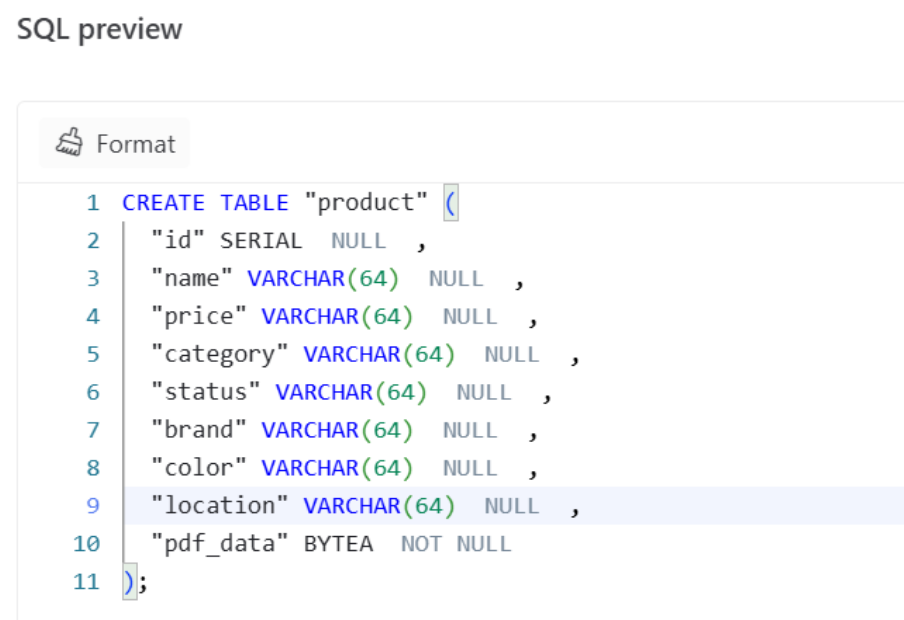
KAIZEN provides a live SQL preview of the CREATE TABLE statement.
-
After all the columns and constraints are defined, review the generated SQL script in the preview panel.
-
Click the Run button to execute the script. KAIZEN will create the physical table in the connected database.
The new table will be listed under the Tables section.
-
Delete data
In KAIZEN 5.3.0, foreign key constraints prevent you from deleting a record while other records still reference it.
To delete data that is involved in a foreign key relationship, first delete the dependent records in the related child table. You can then delete the record from the parent table. This preserves referential integrity and prevents orphaned records.
Last updated on 21 Sep 2026